
Meta Ads Management: What You Need to Know
What it takes to run Facebook and Instagram ads that bring in customers: the right setup, tracking, audiences, budget and the numbers to watch.
 Miro GiovanniniDigital Marketing ConsultantNovember 17, 2026 · 10 min read

Meta ads management means creating, tracking and improving paid ads on Facebook, Instagram, Messenger and Meta's other placements. To get started, choose one goal, such as local leads or sales. Set a budget you can afford, target the area you serve, and make an ad with a clear next step. Then check the results in Meta Ads Manager and fix what isn't working.
For a San Fernando Valley business, that might mean testing English and Spanish ads separately and tracking calls or form submissions, not just clicks. This guide walks through the setup, targeting, budgets and reports you need to do that.
Fundamentals of Meta Ads Management in 2026
Facebook and Instagram reach billions of people every month, and most of your future customers in the Valley already scroll through them every day. Running ads there lets you show up where they spend their time, even before they search for what you sell.
Many owners start by clicking the blue "Boost Post" button on Facebook or Instagram. It's convenient, but it gives you limited targeting, little control over bidding and weak tracking. The differences between boosted posts and real Facebook ad campaigns explain why Meta Ads Manager is where profitable advertising actually happens.
Learning to use it lets you tie every ad to a business goal instead of settling for likes.
Core Platforms and Campaign Structure
Meta Ads Manager is one dashboard for running paid campaigns across four networks:
- Facebook: reaches a wide range of ages and interests through the Feed, video and Groups.
- Instagram: great for visual businesses, through the Feed, Stories, Reels and Explore.
- Messenger: a direct line for questions and conversations with customers.
- Audience Network: other apps and websites that show Meta ads, extending your reach beyond Facebook and Instagram.
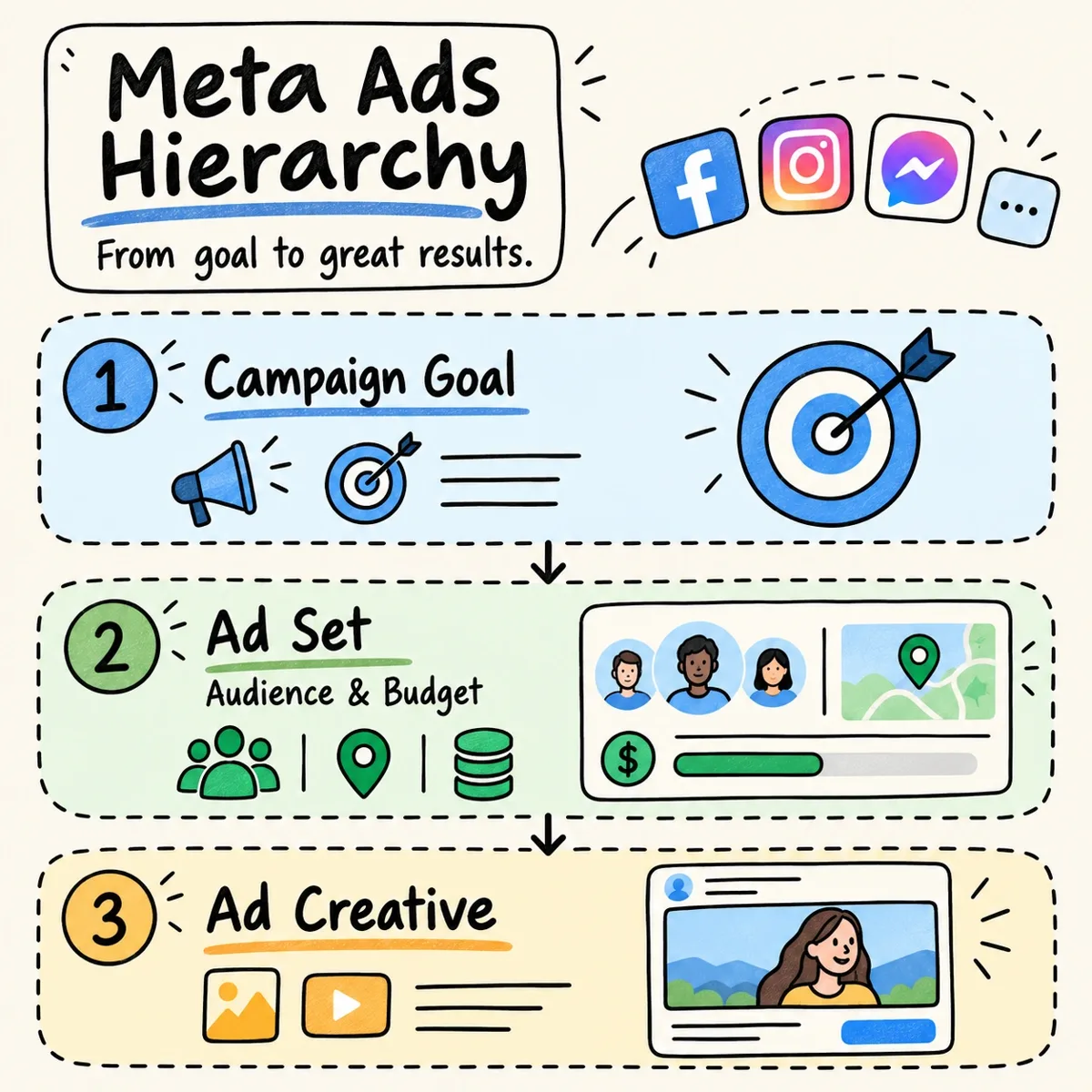
Every Meta campaign has three levels:
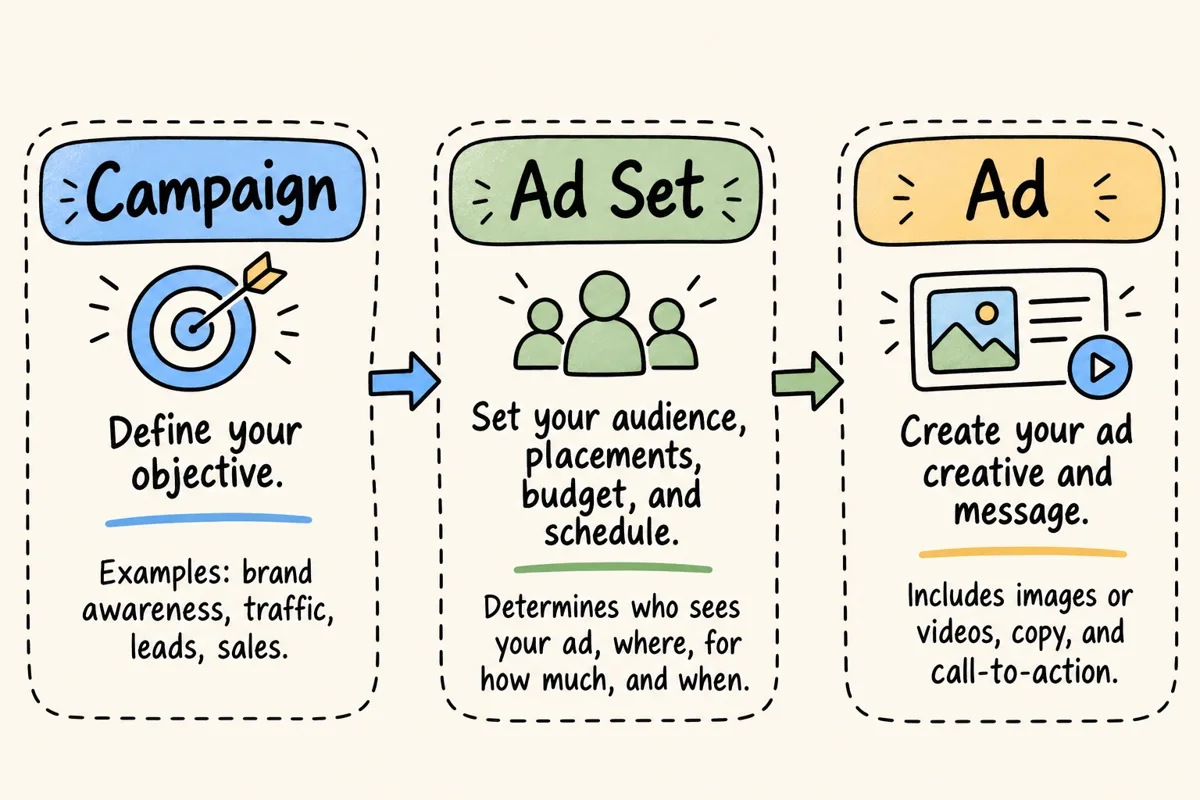
- Campaign: you choose your main goal: awareness, website traffic, leads or sales. Meta uses this choice to decide who sees your ads.
- Ad set: who sees the ad (targeting), where it appears (placements), how much you spend (daily or lifetime budget) and when it runs (schedule).
- Ad: what people actually see: images, videos, headlines, text and the call-to-action button.
Setting Up Business Manager, Pixel and Conversions API
Before launching your first campaign, set up the technical basics. It prevents tracking errors and rejected ads later.
You need a Facebook business Page, an Instagram professional account and a Meta Business Suite workspace. Inside Business Suite you create the ad account, add your payment method and decide who on your team gets access.
Tracking in 2026 combines two sources of data:
- Meta Pixel: a snippet of code on your website that records actions like page views, button clicks and form submissions.
- Conversions API (CAPI): a direct server-to-server connection that sends those same events from your website to Meta. Browser privacy settings and ad blockers can hide Pixel data; CAPI recovers much of it.
- Event deduplication: when the Pixel and CAPI report the same action, deduplication makes sure Meta counts it only once.
- Domain verification: confirming you own your website's domain inside Business Suite protects your brand and keeps event tracking working.
With this in place, you can see which ads brought in calls, leads and sales, not just clicks. That is the number that tells you whether the ads are paying for themselves.
Audience Targeting and Ad Creative Strategies
Good Meta ads reach the right people with creative that makes them stop scrolling. A few years ago, advertisers stacked narrow interests to find their audience. Today Meta's machine learning works better with broader audiences and a clear message. For a local business, the key is targeting your neighborhoods on Facebook and Instagram so you don't pay for people who will never visit.
Building Custom, Lookalike and Advantage+ Audiences
Meta gives you three main types of audiences, one for each stage of the buying journey:
- Core audiences: built from location (country, city or zip code), age, language and interests.
- Custom audiences: people who already know you: your customer email list, website visitors tracked by the Pixel, or people who engaged with your Instagram profile or Facebook videos.
- Lookalike audiences: new people who resemble your best customers. A 1% lookalike based on your highest-value buyers is the closest match.
For broader reach, Advantage+ audience lets Meta's AI use your conversion data to find people likely to act, across all placements.
Creative Formats and Ad Specifications
Creative is still the biggest lever you control. The table below shows the main formats:
| Ad Format | Best Use Case | Recommended Aspect Ratio | Key Technical Specification |
|---|---|---|---|
| Single Image | Product highlights, local promos, simple calls to action | 1:1 (square) for Feed; 9:16 (vertical) for Stories/Reels | High-resolution JPG or PNG; under 30 MB; little text on the image |
| Single Video | Demos, customer reviews, brand stories | 9:16 for Reels/Stories; 4:5 or 1:1 for Feeds | MP4 or MOV; up to 4 GB; Meta reports how many people watched 25%, 50%, 75% and 100% |
| Carousel | Product lines, feature walkthroughs, step-by-step guides | 1:1 (square) for all cards | 2 to 10 cards, each with its own link and headline |
| Collection | Mobile shopping for online stores | 1:1 cover image or video with a product grid | A cover visual on top of your product catalog |
Write clear, benefit-driven text, a short headline and one obvious call to action. Then test a few combinations: Meta's dynamic creative shows each version to the people most likely to respond. If you need images or short videos for those tests and don't have a photo shoot planned, that's what my AI Creatives service is for.
Budgeting, Bidding and Placement Optimization
Managing a Meta budget means protecting your cash flow while you learn what works. How much of your revenue should go to marketing depends on your margins and your goals; I explain how to set that number in how much of your revenue should go to marketing. If you're still deciding between channels, compare Google Ads and Meta Ads for a local business.
Advantage+ Campaign Budget vs. Ad Set Budget
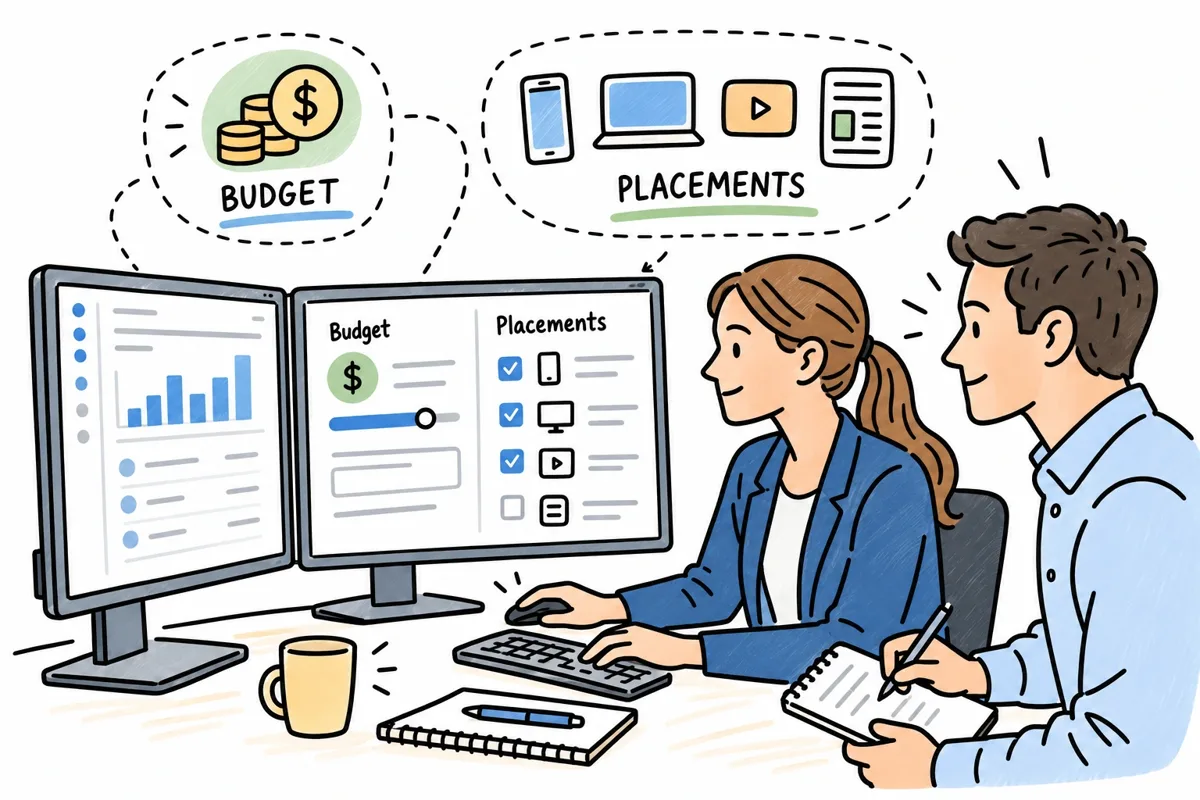
Meta gives you two ways to control spend:
- Advantage+ campaign budget (formerly CBO): you set one budget for the whole campaign, and Meta moves money toward the ad sets that perform best, in real time.
- Ad set budget (ABO): you set a fixed daily or lifetime budget for each ad set. Useful when you want strict limits while testing, or need to protect the budget of a smaller audience.
For larger accounts, a classic full-funnel split looks like this:
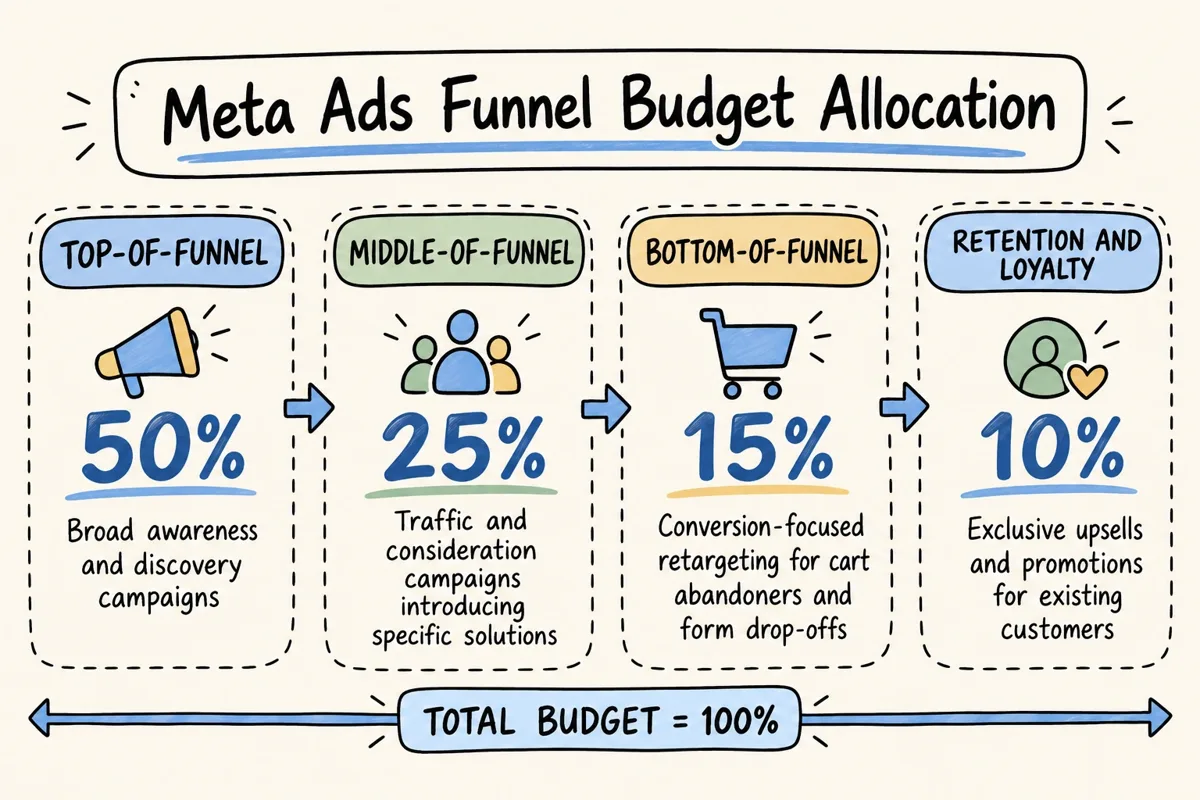
- Top of funnel (50%): awareness and discovery.
- Middle of funnel (25%): traffic and consideration.
- Bottom of funnel (15%): retargeting people who visited your website or started a form.
- Retention (10%): offers for existing customers.
With a small local budget, I start the other way around: most of the money goes to the people closest to buying (your area, your website visitors, your customer list), and I widen the audience once the numbers hold.
Placements and Bidding
Advantage+ placements let Meta show your ad on Facebook, Instagram, Messenger and Audience Network, wherever it gets results at the lowest cost. Choose placements manually only when a video is made just for vertical formats like Instagram Reels.
Your bidding strategy also shapes what you pay:
- Lowest cost (highest volume): gets as many results as possible for your budget.
- Cost cap: asks Meta to keep the average cost per result below a target.
- Bid cap: sets a hard maximum bid in each auction.
Automated rules can pause an ad set when the cost per lead goes over your limit, or raise the budget when results improve.
Tracking Performance and Troubleshooting Common Issues
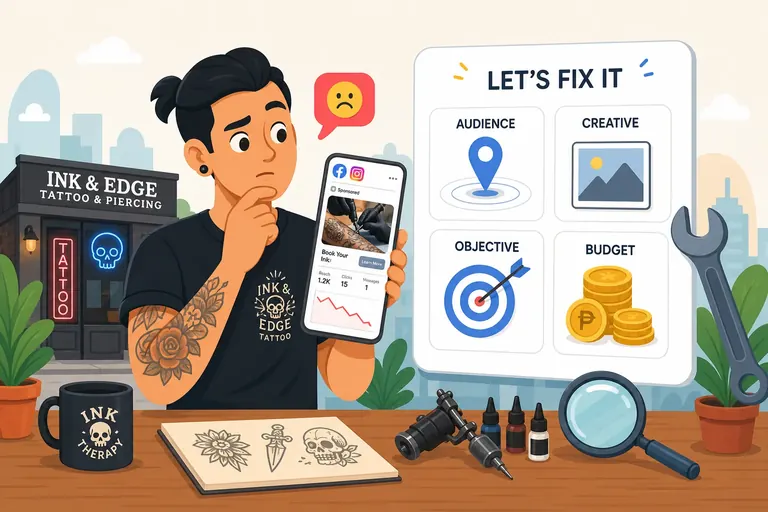
Watch the numbers that pay your bills, not vanity metrics. If an account stalls, find out whether the problem is the audience, tired creative or the budget; this guide on why your Facebook ads aren't getting results helps you pin it down.
Key Metrics to Watch
Match each metric to your campaign's goal:
- CPM (cost per 1,000 impressions): what you pay to be seen.
- CPC (cost per click): what each link click costs. It varies a lot by industry: low for retail and restaurants, high for legal, finance and insurance.
- CPL (cost per lead): what each form submission or call costs you. For most local businesses, this is the number that matters most.
- ROAS (return on ad spend): revenue from the ads divided by what you spent.
To know whether a cost per customer is healthy for your business, use the math in how much to spend on ads: each customer should leave you at least twice what they cost in gross profit.
During the learning phase, Meta needs about 50 results in 7 days to stabilize delivery. Big changes to the budget, audience or ad text restart it, so results jump around for a few days.
Keeping Your Account Healthy as You Scale
Account problems can stop your ads overnight. These habits keep it stable:
- Two-factor authentication: turn on 2FA for everyone with access to Business Suite.
- Raise budgets gradually: I raise budgets about 20% at a time and wait a few days before the next increase. Big jumps throw the ad set back into learning.
- Refresh creative: rotate images, hooks and formats every two to four weeks so the same people don't tire of the same ad.
Frequently Asked Questions About Meta Ads Management
What is the difference between Meta Ads Manager and Meta Business Suite?
Meta Business Suite is where you manage your business assets: who has access, your Facebook and Instagram pages, and organic posts. Meta Ads Manager is the tool built to create, launch, adjust and measure paid campaigns.
How much does Meta advertising cost for small businesses?
Meta has no minimum spend, so you could start with a few dollars a day. To learn anything, though, I recommend testing with $20 to $50 a day. For an ongoing local campaign, I usually recommend an ad budget of $800 to $2,000 a month, paid directly to Meta, and raising it only when the results hold.
Why are my Meta ads not delivering or converting?
Delivery problems usually come from an ad set stuck in the learning phase, an audience that's too narrow, overlapping audiences or a bid cap that's too low. If your ads get impressions but no sales, my guide on fixing Facebook ads that stop working helps you check the tracking, the landing page and the creative.
Conclusion
Profitable Meta ads come from three things: tracking set up correctly, a disciplined budget and steady creative testing. Meta's automation keeps getting better, but it can't fix an unclear message or a weak offer. That part is still on you, and on whoever runs your ads.
I manage Meta Ads for local businesses across the San Fernando Valley myself: no account managers, tracking from day one, a monthly report in plain language, and campaigns in English and Spanish when your customers need it. See how my Meta Ads management works, or book a free 30-minute call to talk about your business.
Written by
Miro Giovannini
Digital marketing consultant in the San Fernando Valley. 15 years with big brands, now working directly with local businesses on Google Ads, Meta Ads, websites and local SEO.


You’ll talk to me, not a sales team.
Your competitors are buying your customers' clicks today.
Tell me about your business and I'll get back to you personally with what I'd do first. No call needed.
Ready to talk? Call (747) 900-3578, text me, or book a free 30-min call.
A plan before we start · Month to month · You own every account · Max 3 new clients a month
I reply personally. No sales team, no spam.