
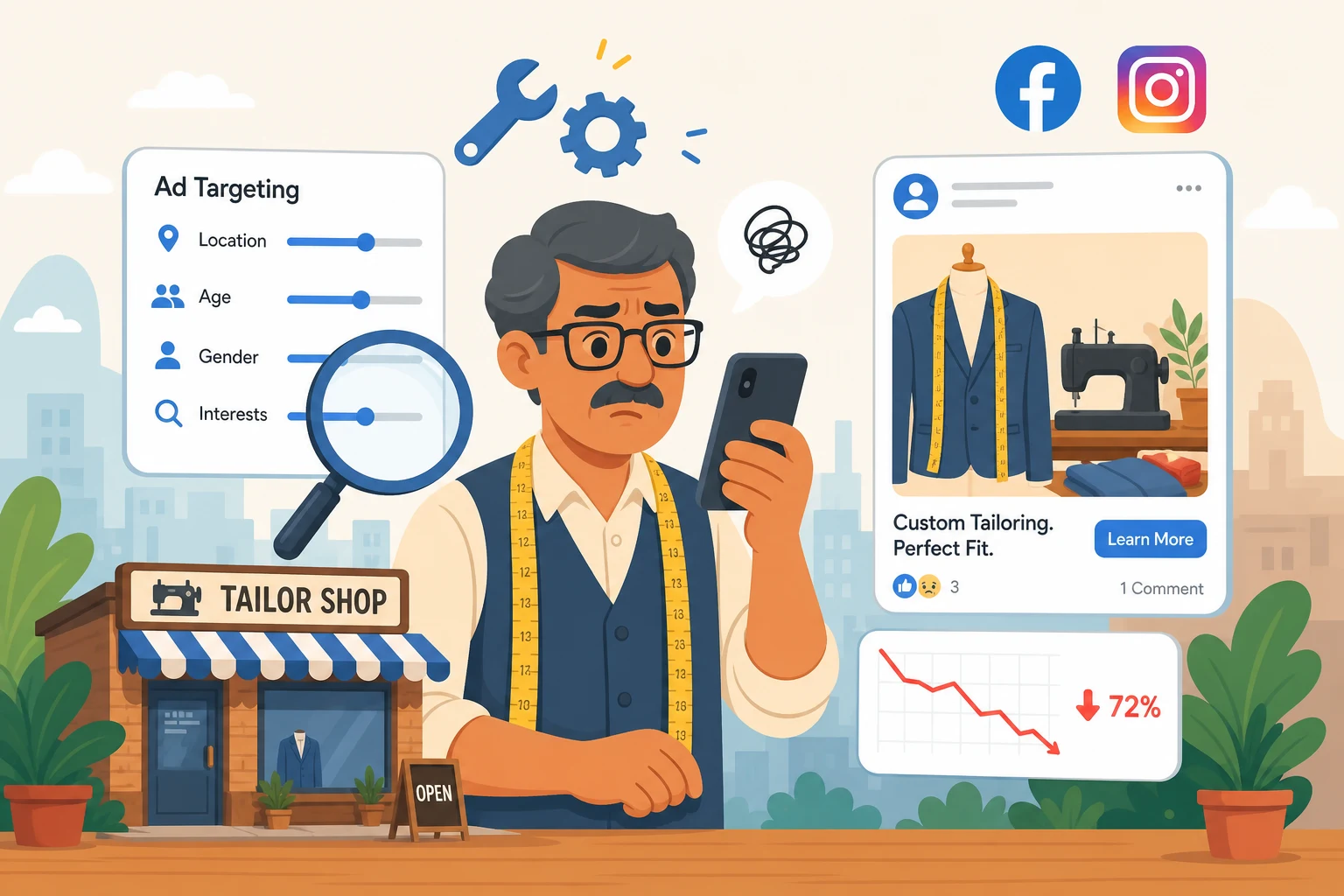
Why Your Facebook Ads Aren't Getting Results
June 17, 2026 · By Miro Giovannini
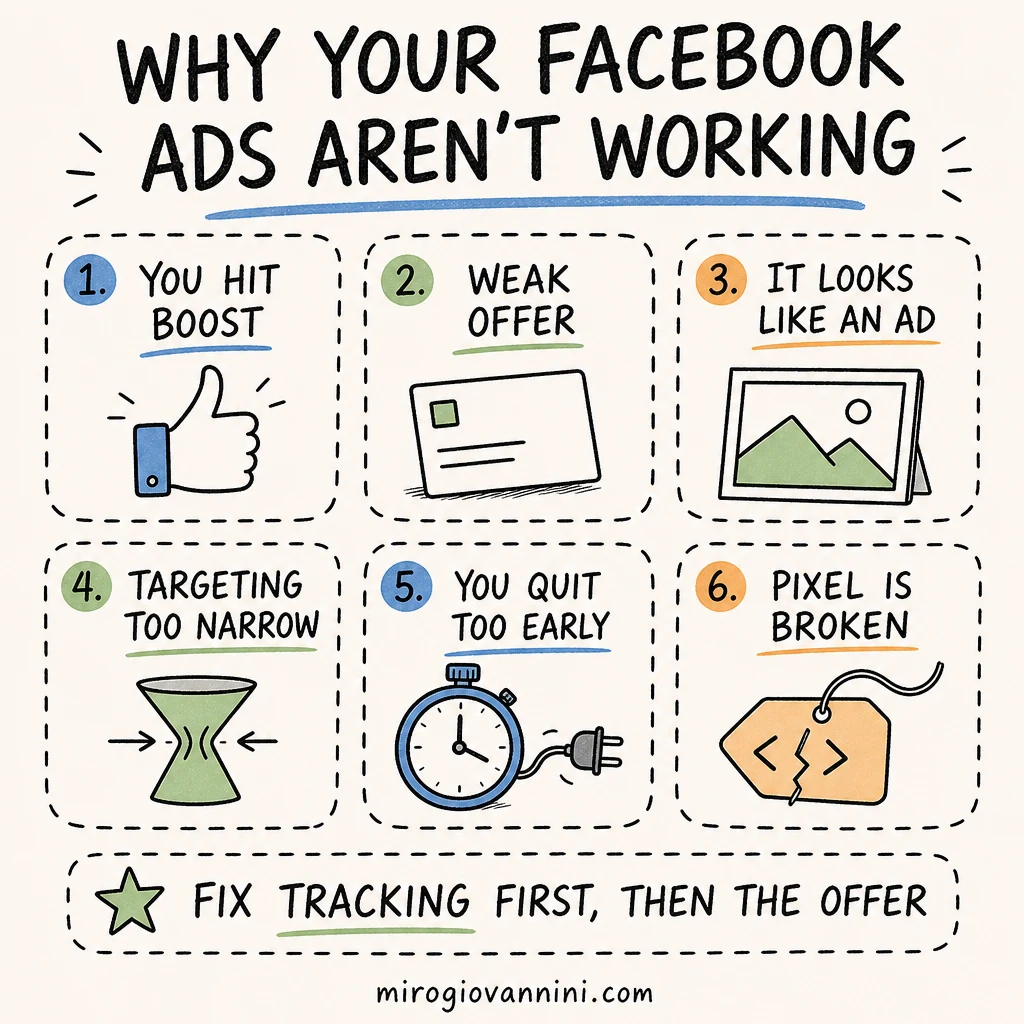
If your Facebook ads are not getting results, the cause is almost never the platform. It is one of seven fixable setup problems: you boosted instead of building a campaign, your offer is forgettable, your creative looks like an ad, your targeting is too narrow, you quit before the algorithm learned, your tracking is broken, or your landing page is losing the sale.
You boosted a post, spent a few hundred dollars, and got a handful of likes but no calls, no bookings, and no new customers. Sound familiar? I hear this every week from business owners in Sherman Oaks, Van Nuys, and Encino who tried Facebook and Instagram ads, saw nothing happen, and decided the whole thing was a waste of money.
Here is the truth after fifteen years of running ads for local businesses: Facebook ads almost always work when they are set up correctly. When they fail, it is rarely because the platform is broken. It is because of a handful of mistakes that quietly drain your budget. Let me walk you through the most common ones and exactly how to fix each.
Did You Hit "Boost Post" Instead of Building a Real Campaign?
The blue Boost button is the single biggest reason local businesses waste money on Meta. It is designed to be easy, not effective. Boosting optimizes for engagement, which means Facebook shows your ad to people who like, comment, and share, not people who book appointments or walk into your store.
When you build a campaign inside Ads Manager instead, you choose a real objective. Meta's own guide on choosing an advertising objective is clear that the objective determines who your ads are delivered to and how the system optimizes. Pick Sales or Leads and you tell Meta to find people likely to take action, not just tap a heart.
If you only change one thing after reading this, stop boosting and start using Ads Manager.
Is Your Offer Forgettable?
Most local ads I review say something like "Quality service you can trust" with a logo and a phone number. That is not an offer. That is a business card.
People scrolling Instagram at a stoplight in Tarzana are not looking for a vendor. They need a reason to stop. A strong offer is specific and time-bound:
- "First-visit dental cleaning for $99 this month in Woodland Hills"
- "Free 15-minute roof inspection, booked online in 60 seconds"
- "Buy one entree, get one free, Tuesday through Thursday"
You do not have to discount yourself into the ground. But you do need to give a concrete reason to act now instead of scrolling past. The test I use: if a competitor could paste their logo onto your ad and it would still make sense, the offer is not specific enough.
Does Your Creative Look Like an Ad?
Polished stock photos and stiff graphics get ignored, because they scream "advertisement" and people have trained themselves to skip those. The content that performs looks like content, not a billboard.
How Many Creatives Do You Actually Need?
A simple system that works for local businesses is what I call one hero plus five. Run one clean, branded image or video for trust, then five raw, phone-shot variations that feel native to the feed. A short clip of you talking to the camera, a before-and-after, a quick walkthrough of your shop in Northridge. Let Meta spend the budget on whichever one resonates, and swap out the bottom performers every few weeks.
How Often Should You Refresh Them?
For a local business spending a modest budget in a small geography, plan on new creative every three to four weeks. Your audience is small, so people see your ads repeatedly and stop noticing them faster than they would in a national campaign. When your click-through rate slides while your cost per click climbs, that is fatigue, not a broken account.
Are You Targeting the Wrong Way?
This one surprises people. Stacking interests on top of each other actually hurts you. Owners think being precise helps, so they layer "chiropractor" plus "back pain" plus "fitness" plus "wellness" until the audience is tiny. Meta's system discards most of those refinements anyway, and the narrow audience starves the algorithm of the data it needs to learn.
Here is the better approach for a local service business:
- Set your location to your city plus a 5 to 10 mile radius. For a Glendale business, that naturally pulls in Burbank and parts of the Valley.
- Keep your age range broad, like 25 to 65, unless you have real data showing a tighter group converts better.
- Skip the heavy interest stacking and let Meta's Advantage+ targeting find your buyers.
Trust the system more than your instincts. The algorithm has more data on who converts than you do. Your job is to feed it a clear objective, a good offer, and enough budget to learn.
Are You Quitting Before the Algorithm Learns?
Meta needs time and data to figure out who your customers are. Meta calls this the learning phase, and its documentation is explicit: delivery is less stable and performance is less predictable until the ad set gathers enough conversion events, and significant edits restart the process.
Most owners panic and shut the ad off on day three when results look bad. Give every campaign at least seven days and a real daily budget before you judge it. A campaign running on five dollars a day will never gather enough conversions to learn. For most local businesses, plan on at least 20 to 25 dollars a day per campaign during that first week. That is the data-gathering phase, and pulling the plug early throws away the money you already spent teaching the system.
This is the same dynamic that makes stop-start advertising so expensive on Google, which I explain in should you pause your Google Ads during a slow season.
Is Your Pixel or Tracking Broken?
If Meta cannot see what happens after someone clicks, it is flying blind. The Meta Pixel reports back which clicks turned into calls, form fills, or purchases. Without it, the algorithm cannot optimize and you cannot tell which ad actually made you money.
Open Events Manager and confirm your pixel is firing on your key actions, like a booking confirmation or a thank-you page. Meta's pixel setup guide walks through installation and testing. If you are not technical, this is worth paying someone to set up once. It is the foundation everything else stands on.
Here is how to test it in five minutes: submit your own form or complete your own booking, then check Events Manager for the event within a few minutes. If nothing appears, nothing is being counted, and every optimization decision Meta has made for you was based on incomplete information.
Is Your Landing Page Killing the Sale?
You can run a perfect ad and still lose the customer the second they land on a slow, cluttered page. If your site takes more than two or three seconds to load on a phone, a large share of people leave before they ever see your offer. Google's Core Web Vitals guidance treats loading, interactivity, and visual stability as measurable thresholds for exactly this reason.
A few quick wins:
- Compress your images so the page loads fast on mobile.
- Cut your contact form down to the essentials. Going from a long form to just name and phone can lift conversions noticeably.
- Put a review or testimonial near the top so visitors trust you immediately.
- Match the page to the ad. If the ad promised $99 cleanings, the page headline should say $99 cleanings, not a generic welcome message.
If you are not sure where to start, here is my full breakdown of what a landing page should look like.
What Does a Healthy Setup Look Like?
For a typical local service business in the San Fernando Valley, I usually start with two campaigns. The first is an Advantage+ Sales or Leads campaign with broad targeting and your six creatives, taking 70 to 80 percent of the budget. The second is a small retargeting campaign aimed at people who visited your website or watched your videos in the last 30 days, loaded with social proof, taking the remaining 20 to 30 percent.
That structure lets Meta do the heavy lifting on finding new customers while you keep a steady, cheap reminder in front of the people who already showed interest.
What Should You Check Each Week?
Look at four things and resist the urge to touch anything else: cost per lead, which creative is spending the most, whether the pixel is still recording events, and whether the leads are actually good. Everything else is noise at a local budget.
Weekly review does not mean weekly changes. Every edit to budget, audience, or optimization event risks restarting the learning phase, so batch your changes and make them deliberately.
Is Facebook Even the Right Channel for You?
Sometimes the honest answer is no, or not yet. Facebook and Instagram are interruption channels: people are not searching for you, so you have to earn the stop. If you sell something people look for at the moment of need, like emergency plumbing, search is usually the better first dollar. I compare the two directly in Google Ads or Facebook Ads: which should you try first and in Google Ads vs SEO: where to spend your budget.
Meta earns its place once you have an offer worth interrupting someone for, creative that looks native, and tracking that tells you the truth. Without those three, more budget just buys you more of the same disappointing result.
So What Do You Fix First?
In order: tracking, then offer, then creative, then patience.
Fix the pixel so you can see reality. Sharpen the offer so there is a reason to click. Replace the polished graphic with five phone-shot variations. Then leave the campaign alone for a week and let the algorithm do its job.
If you have already spent money on Meta and got nothing back, that spend was not wasted, it was tuition, as long as you learn which of these seven problems you had. If you want a second pair of eyes on the account before you spend another dollar, book a call and we will look at it together.

Ready to bring in more customers?
Get a free 30-minute marketing review. We'll look at what you have today and identify the one or two changes that could make the biggest difference.