
How to Fix Incorrect Business Information and Local Citations
September 15, 2026 · By Miro Giovannini
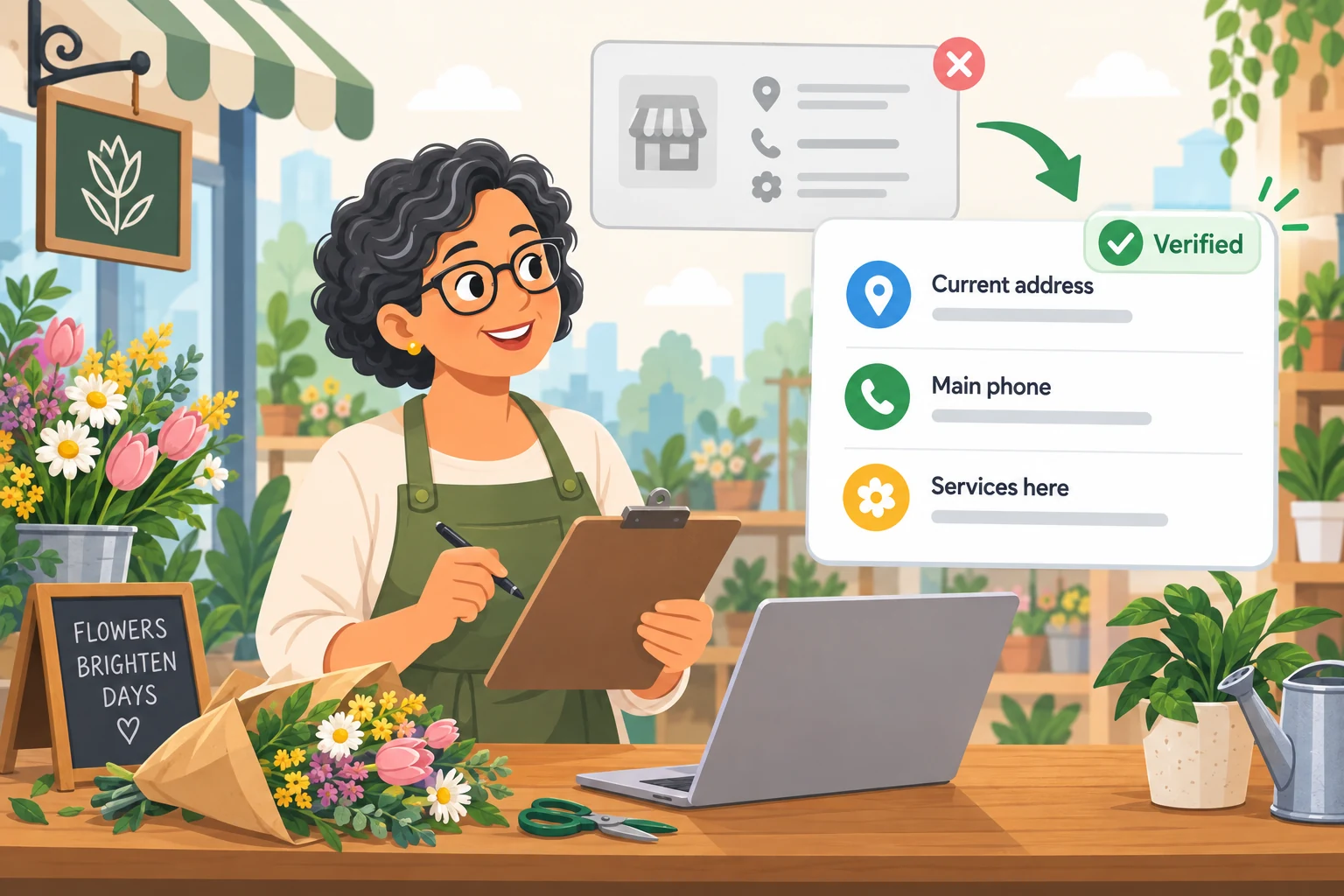
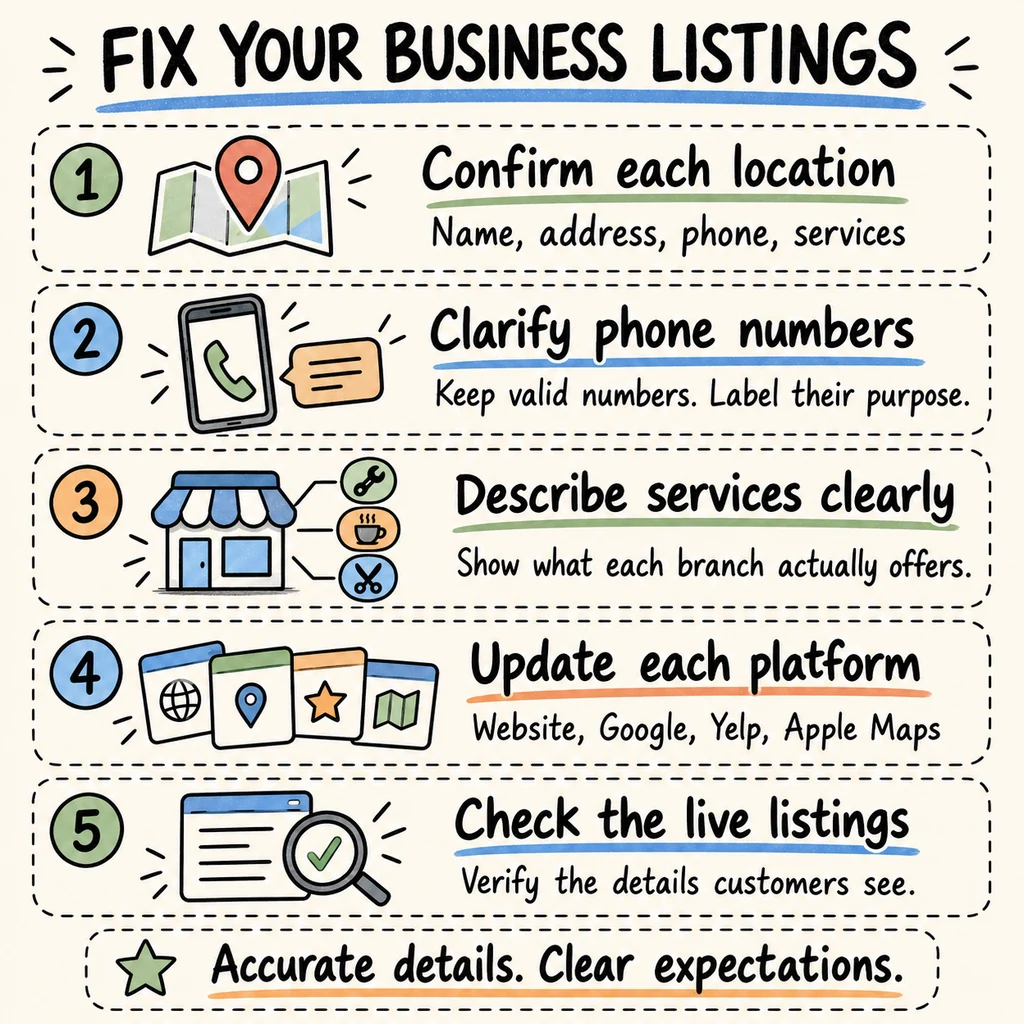
To fix incorrect business information and local citations, confirm the correct details for each location, update your website and business listings, and check that the changes appear publicly.
Start with the information customers use to call, visit, or choose a service. An outdated address needs attention. So does a listing that sends someone to the right building for a service that location does not offer.
In my reviews of restaurant listings, phone numbers and old addresses come up more often than business names. The useful question is whether a customer can understand where to go and how to reach the right team.
What are local citations and NAP information?
A local citation is an online mention of your business details. NAP stands for name, address, and phone number. Directory listings and map profiles are examples of places to check those details.
For this cleanup, include your website in the comparison and look beyond those three fields. Check the services offered at each location, the website link, and the purpose of each phone number. A consistent address can still leave someone with the wrong expectation about what happens there.
Which business information errors should you look for?
In restaurants I review, there may be two or three numbers, sometimes including a separate WhatsApp number. Google may contain several while the website shows only one. I also encounter former addresses that were never updated.
Treat those differences as questions to investigate. Ask the owner which numbers still work, who answers them, and whether each location is active. A useful audit identifies the correct information before anyone starts deleting or replacing it.
How do you establish the correct details for each location?
Create one approved record per location. Confirm it with someone who knows the operation, including:
- The business name used publicly.
- The current customer address and suite, where applicable.
- The main phone number and the purpose of additional numbers.
- The services available at that location.
- The relevant website page and current hours.
Keep former addresses and retired numbers in a separate search list. Record when the owner confirmed the details so the next person updating a listing has a clear reference.
How do manual checks and AI help audit business listings?
I combine manual verification with Google Maps scraping using AI tools to detect details that deserve a closer look.
For a useful audit, keep the listing URL beside every finding and compare the extracted information with the live profile. Have the owner confirm anything that depends on how the business operates. For example, a different number may belong to reservations, customer support, or a particular branch. Mark the question clearly before recommending a change.
How do you find old addresses and phone numbers online?
Search for your current business name, then repeat the search with previous addresses and phone numbers. Check individual locations separately.
Keep a simple list of the platform, listing URL, observed information, confirmed correction, and account access needed. Add a status such as “needs owner confirmation,” “submitted,” or “verified live.” This gives you a way to follow each issue through to completion and prevents a submitted edit from being mistaken for a finished correction.
Which incorrect business details should you fix first?
I recommend prioritizing errors by their effect on a customer's next action. Start with a wrong destination, an unusable phone number, or a misleading service description. Then work through less urgent inconsistencies.
Choose the listings customers actually encounter when searching for your business. For a broader diagnosis covering your website, reviews, and visibility, use my local SEO repair guide. This process focuses on correcting the information that guides calls and visits.
How do you correct business information on your website?
Review the contact page, footer, location pages, menus, and booking or ordering pages. Open phone buttons on a mobile device to inspect which number they use, and check the destination of map links.
Where several numbers serve different purposes, label them clearly. Make each location's services easy to find. Give whoever maintains the site the approved details and the specific pages that need changes. Clear contact information should be part of website design for a local business, alongside the pages that explain what customers can buy or book.
How do you fix incorrect information on Google Business Profile?
Sign in to the Google account linked to the profile. Open the business in Google Search, select Edit profile, change the relevant details, and save. In the Maps app, open Business, then Edit profile.
Google reviews edits before they go live. Moving a verified business to a new address requires verification again. Record the submitted changes and check their status before calling the correction complete.
Can a business have more than one phone number on Google?
Yes. Google allows a primary phone number plus up to two additional numbers. Having several valid numbers therefore does not automatically make a profile incorrect. These options and the editing steps are covered in Google's Business Profile editing guidance.
My recommendation is to agree on a main contact number and make the purpose of other numbers clear wherever customers encounter them. Check what happens when someone calls each number. A website showing one number while Google includes additional valid numbers needs review before being labeled an error.
Should you add services to your Google business name?
Use the name the business actually uses on its storefront, website, and other materials. Google does not allow unnecessary service descriptions to be added to the name. Its description field can explain the services offered, and categories should represent the business accurately. Follow Google's business representation guidelines.
For a company with several divisions, confirm how each location is genuinely represented before changing its name. Write the description around what that particular location does and make any important service limitations easy to understand.
Can accurate addresses still send customers to the wrong service?
Yes. I encountered this with an intercity transportation client that had several lines of business, including freight, passenger transportation, and corporate transportation. Its locations did not all offer the same services.
A Google listing showed the location but did not explain its specific function clearly enough. People arrived expecting a service they could not receive there. We clarified the services in the listing names and descriptions across several locations at the same time.
The naming rule above matters when applying that lesson to another business. The broader takeaway is to describe each branch's actual function clearly.
What changed after those location details were clarified?
After the updates, I observed fewer people arriving with expectations of services that were unavailable at that location. I do not have a verified percentage to attach to that improvement.
That experience shapes how I review listings: I want to know whether the information helps a person choose the correct location. For your own cleanup, ask staff to note when customers arrive at the wrong branch or request something that branch does not provide.
How do you correct business information on Yelp?
In Yelp for Business, open Business Information, select Edit beside the relevant section, enter the correction, and choose Save Changes. In the app, select the correct location, open Biz Info, edit the field, and save.
Yelp says owner updates appear immediately but remain subject to moderator review and possible rejection. It also directs moves and closures to a separate process for substantial changes. Follow the appropriate path in Yelp's official update instructions.
Afterward, inspect the public page and record what customers can actually see.
How do you fix business information on Apple Maps?
Apple's current documentation places location management in Apple Business. Sign in with location-management permissions, choose Brands → Locations, select the location, and open Info.
Review its name, address, map position, phone number, website, and description. Apple specifies a location phone number published on the official website and recommends using the location-specific website URL when available. Its location attribute guidance explains these fields.
Check the public Apple Maps place card afterward. Compare it with the approved location record and note any details still needing attention.
What should you do about listings with an old address?
First establish whether the business moved, closed, or still operates at both addresses. Those situations need different corrections.
Record the old listing's URL and what it currently represents before taking action. Follow each platform's process for the confirmed situation. Avoid creating another listing simply because you cannot access the existing one; investigate ownership or support options first.
Search for the former address again after making corrections. Keep unresolved entries on your list, including who is responsible for following up.
When should you consider Moz Local for citation cleanup?
Moz describes Moz Local as a tool for managing business listings centrally, automatically syncing information across supported destinations, and monitoring missing fields or listings that need attention. See the manufacturer's Moz Local overview.
Consider it when maintaining multiple locations or directories creates recurring work. Before subscribing, check the current plan, covered directories, location limits, and how it handles the specific problems on your list. Decide who will keep the underlying business information accurate. Software still needs the correct details for every branch.
When is manual citation cleanup enough?
My recommendation is to start manually when you have a manageable number of listings, access to the accounts, and someone responsible for follow-up.
Consider a paid tool when repeated updates and monitoring justify the cost. Compare the time required for ongoing maintenance with the subscription and setup work. A useful first step is completing your audit before buying: you can then evaluate a tool against a known set of corrections instead of a general promise to improve local SEO.
How do you verify that business listing corrections worked?
Reopen each public listing and compare it with your approved record. Review the visible name, address, phone details, service description, and linked website page.
Test the customer journey: inspect the call destination, open the map, and follow the website link. Save the date and evidence of the check. Keep pending or rejected changes separate from verified corrections.
This follow-up is a practical part of maintaining local SEO for your business. Assign it to someone so the work has a clear owner after the initial edits.
How can you measure whether customers are less confused?
Ask staff to record wrong-location arrivals, requests for unavailable services, and calls reaching the wrong department. Note which listing the customer used when they can tell you.
Compare equivalent periods and keep a record of other operational changes. If you want a rate, collect both the number of confused arrivals and total arrivals. Without that denominator, report the count or describe the observation plainly. Use the same care with sales: only claim an increase caused by the cleanup when your evidence supports that conclusion.
Which citation cleanup mistakes should you avoid?
Watch for these during your review:
- Removing a valid additional number without checking its purpose.
- Copying every company service into every branch description.
- Changing a listing name without confirming the real business name.
- Treating an old address as proof that the business closed.
- Marking an edit complete before checking the public listing.
- Reporting estimated customer improvements as measured results.
Each item calls for a specific check with the owner, the platform, or the live listing. Put that check into the task list before making the correction.
How do you keep local business information accurate?
Assign one person to maintain the approved location records. Review them whenever an address, phone number, service, or customer-facing schedule changes. Include the website and listings in that operational update.
As a working routine, I recommend a monthly review of your main profiles and another check after major changes. Adjust the frequency to your business. Keep account access documented so a staff change does not leave important listings without someone able to update them.
Where should you start with incorrect business information?
Choose one location. Confirm its details with the owner, identify the most consequential error, and follow that correction through to the public listing. Then repeat the process for the remaining locations and platforms.
My work as a digital marketing consultant in the San Fernando Valley starts with understanding what a customer needs to do next. Accurate contact and location details help make that next step clear.
If you would like help reviewing your business information and deciding what to fix first, book a call and we can look at the gaps together.
Ready to bring in more customers?
Get a free 30-minute marketing review. We'll look at what you have today and identify the one or two changes that could make the biggest difference.